
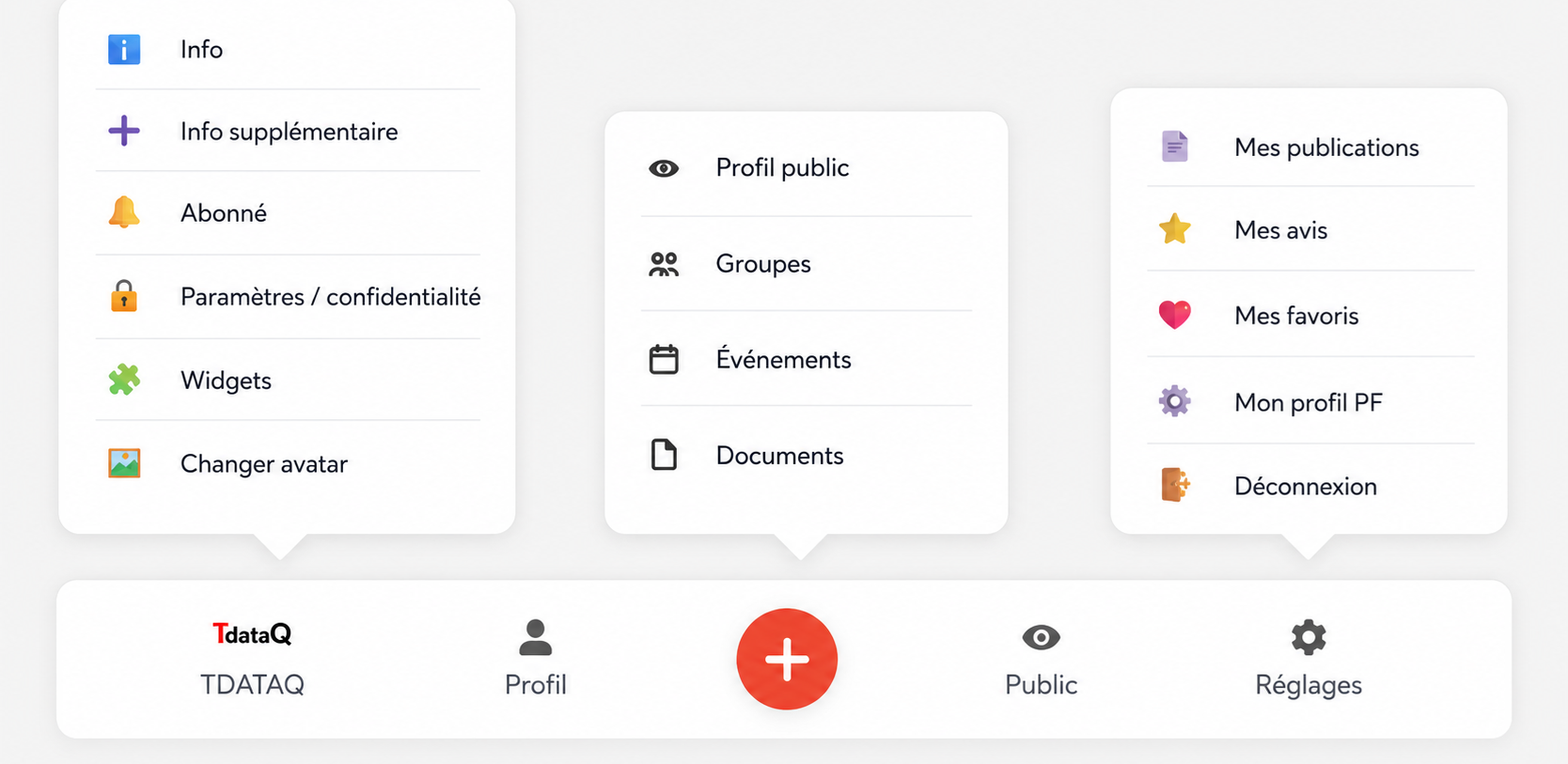
The footer bar represents the main navigation bar located at the bottom of the user interface ofSookSookand ofTDATAQ.
It allows quick access to the essential functions of the platform from:
- smartphone
- tablette
- terrain
- bureau
- industrial mobile environment
1. Why a footer bar
In a field environment, users need:
- quick access,
- simple navigation,
- immediate actions,
- one-handed use,
- an optimized mobile display.
The low bar therefore allows:
- smooth navigation,
- field ergonomics,
- quick access to critical functions.
2. Structure of the footer bar
The bar contains several main accesses:
| Icon | Fonction |
|---|---|
| TDATAQ | E-learning access |
| Profil | User account |
| + | Quick creation |
| Public | Public view |
| Settings | Settings |
3. TDATAQ button
Function :
Direct access to the training and e-learning platform.
Allow :
- access training,
- follow the modules,
- take the quizzes,
- validate skills,
- follow authorizations,
- participate in challenges/gamification.
Role in SookSook
The link between:
- ground,
- SKILLS,
- authorizations,
- security,
- skill development.
4. Profile button
Function :
Access to personal user profile.
Allow :
- consult his profile,
- modify your information,
- see his publications,
- follow his interventions,
- manage your avatar,
- access groups and documents.
The profile may contain:
| Data | Exemple |
|---|---|
| Job | Ascensoriste |
| Habilitations | Electric |
| Qualifications | Height works |
| Experience | Maintenance |
| Historique | Interventions |
| Publications | Rapports |
5. Central “ ” button
Function :
Rapid creation of operational elements.
This is the heart of the platform.
Allows you to quickly create:
| Element | Exemple |
|---|---|
| Intervention | Troubleshooting |
| Avis | Notification |
| Rapport | Compte-rendu |
| Event | Security |
| Publication | Chantier |
| Diagnostic | Machine |
| Control | Inspection |
| REX | Feedback experience |
Importance
The central button allows:
- immediate field publication,
- quick entry,
- better responsiveness,
- a reduction in forgetting,
- real-time traceability.
6. Public Button
Function :
Access to the public view of the profile or content.
Allow :
- view public profile,
- share information,
- access visible publications,
- consult the associated QR Codes,
- see the equipment or agent profiles.
Utility
Very useful for:
- communication,
- land sharing,
- QR Code access,
- multi-stakeholder visibility.
7. Settings button
Function :
Access to settings and privacy.
Allow :
- manage confidentiality,
- change settings,
- manage notifications,
- control widgets,
- secure the account,
- manage user preferences.
8. Mobile and terrain vision
The footer bar is designed for:
| Usage | Objectif |
|---|---|
| Smartphone | Mobility |
| Chantier | Speed |
| Industrie | Simplicity |
| Terrain | Accessibility |
| Intervention | Reactivity |
9. SookSook Philosophy
The low bar reflects the philosophy ofSookSook :
Centralize quickly:
- communication,
- security,
- intervention,
- publication,
- training,
- traceability,
- user management.
10. Action-oriented navigation
Unlike classic “website” oriented navigation:
the SookSook footer bar is oriented:
Field and operational
She favors:
- rapid action,
- immediate publication,
- access to essential tools,
- mobility,
- field efficiency.
11. Concrete example of use
A field technician can:
From the footer bar:
- open your profile,
- launch a publication,
- create a report,
- consult his documents,
- access TDATAQ training,
- share a public profile,
- modify its settings,
in just a few seconds.
12. Global vision
The footer bar becomes:
- a mobile command center,
- a field interface,
- quick access to critical functions,
- a hybrid office/field tool,
- a gateway between agent, machine and digital data.